Guides for businesses and groups
Make a poster for your event
Front Street can make a poster of any event you’ve added, ready to print for your window or share online. You pick the design; we fill in the date, time, place and price. Its QR code takes people straight to your event, where they can get a reminder.
It’s free, and you can make one as soon as you’ve sent your event in.
1. Open the designs
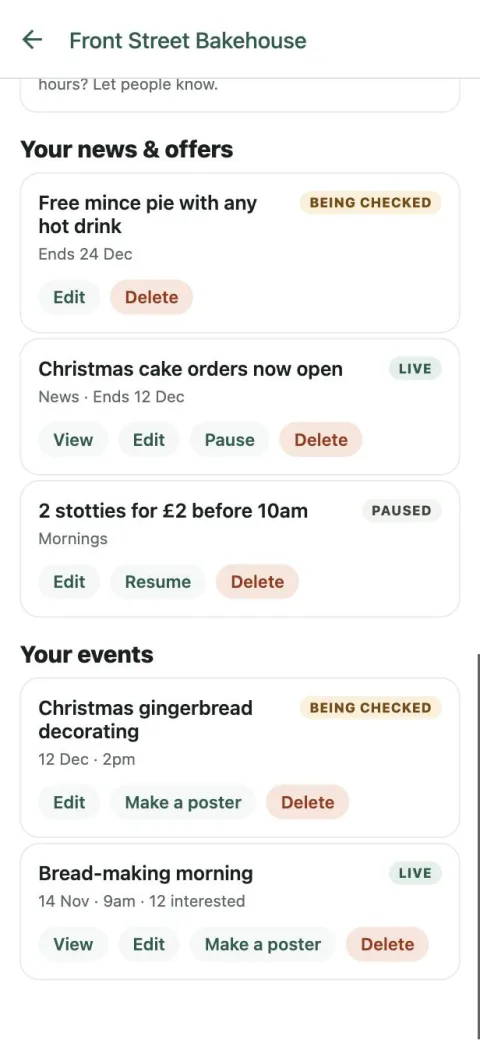
Open your listing, tap Manage your listing, then Make a poster under the event. It’s on the event’s own page too.
2. Pick a design
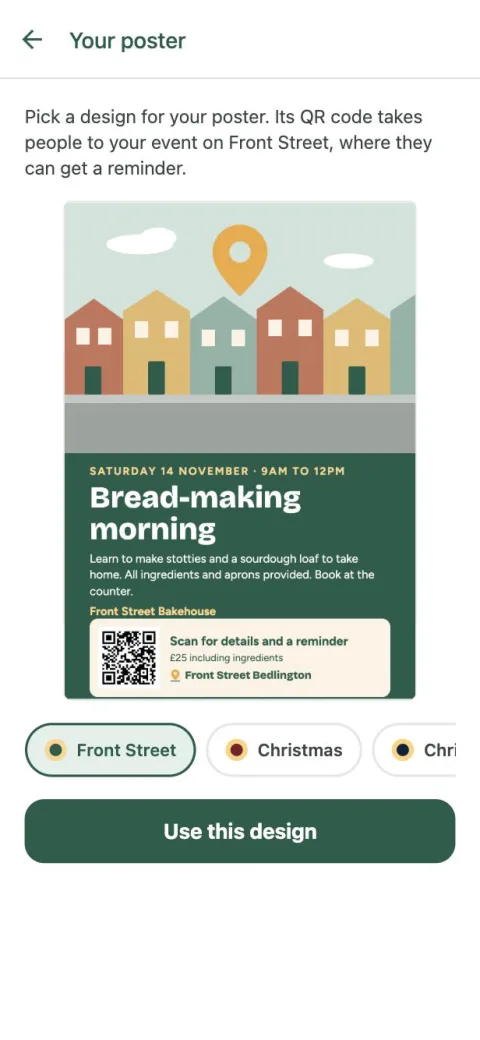
Each design is shown with your event on it. The one we suggest comes first, picked from what your event is (a quiz, a market, Christmas, Bonfire Night and so on). Tap another design in the row under it to see your event on that one, and swipe the row for more.
Found the one you like? Tap Use this design. You can change your mind later.
3. Print or share it
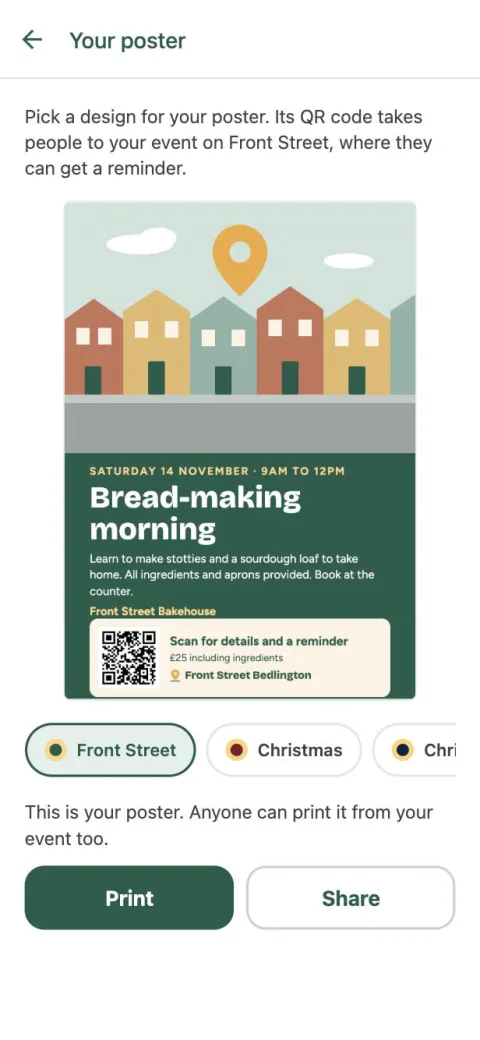
Once your event is approved, tap Print for an A4 PDF or Share to send the picture to Facebook, WhatsApp or anywhere else. We email it to you as well, with the PDF attached.
Your poster also becomes your event’s picture on Front Street, and anyone can print it from your event. Change the date or time later and we email you the updated one.