Guides for businesses and groups
Add an event
An event goes on your listing, in your town’s What’s on, and in the weekly round-up. When it goes live, your followers hear about it, and so do people in town who are interested in that kind of thing. They can tap Interested to get a reminder.
Adding events is free. Each one is checked by the Front Street team before it goes live, usually within a few hours.
1. Start an event
Open your listing, tap Manage your listing, then Add an event.
Front Street is for ages 13 and over, so events can’t promote alcohol, tobacco, vaping or gambling. Quiz nights, live music and food events are all welcome.
2. Got a poster? Let it fill the form in
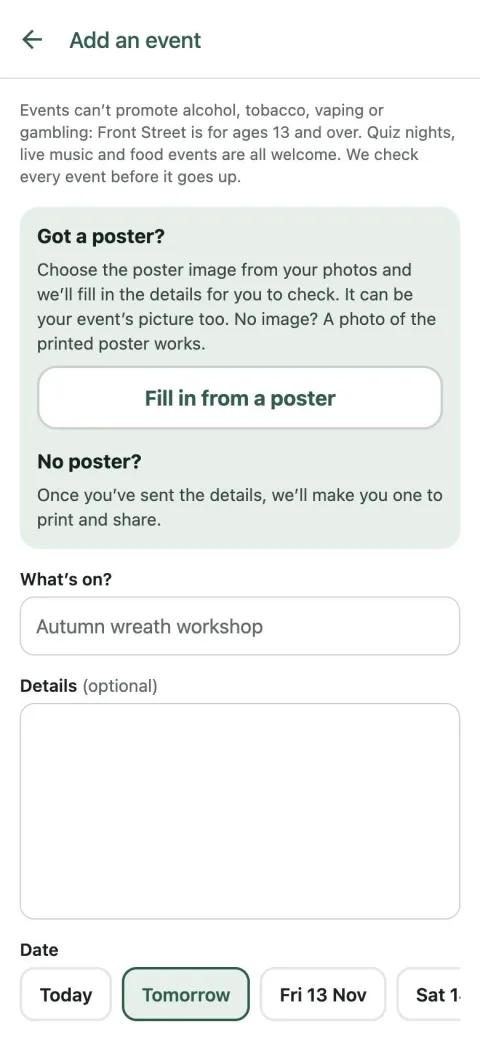
If you already have a poster or flyer, tap Fill in from a poster and choose the poster image from your photos: the file you had printed or shared online is best. No image of it? Take a photo of the printed poster instead. We read the details off it for you to check. It can be your event’s picture too: leave Use it as the event’s picture on, and we check it with your event before either goes up. No poster, just a photo of the place or of last time? Tap Add a picture instead.
No poster? Just fill the form in yourself. You can make a poster afterwards (see Make a poster for your event).
3. What, when and how often
Give it a clear name in What’s on?, like “Autumn wreath workshop”, and a few lines in Details: what happens, who it’s for, whether to book.
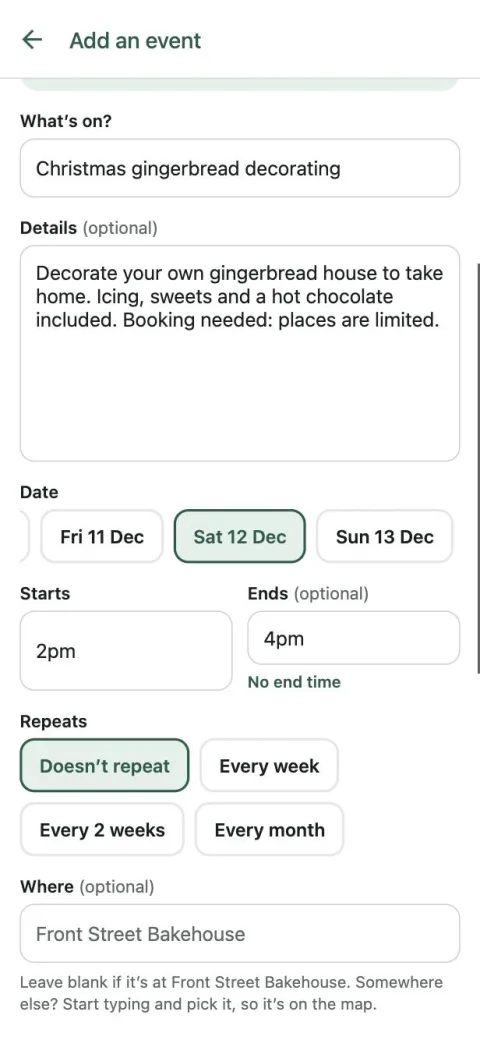
Choose the date and start time (an end time is optional). Quiz every Thursday? Set Repeats to every week, every two weeks or every month, and you only add it once.
4. Where, price and contact
It’s at your place unless you say otherwise: leave Where blank. Somewhere else? Start typing the venue’s name and pick it from the list, so it shows on the map and on that venue’s listing too.
Turn off Free to attend to add a price, like “£12 per house”. Add a phone number or email if people need to get in touch, and say what for in Contact for, like “Bookings”. Then tick up to three things it’s good for (family, food & drink, workshop and so on), so the right people hear about it.
Tap Send for checking.
5. Change or cancel it
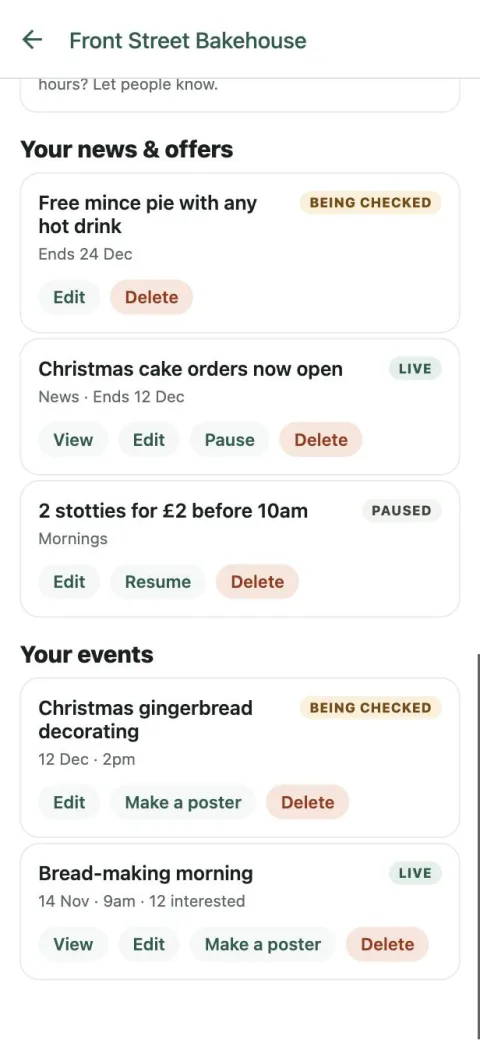
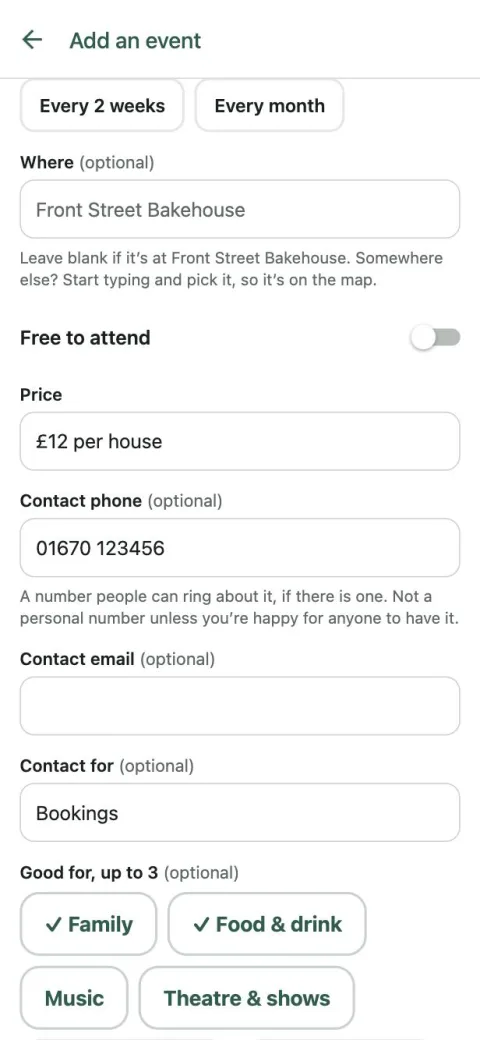
Your events are listed under Your events, with how many people are interested. Tap Edit to change one: if you move the date, time or place, everyone who was told about it hears about the change once it’s approved.
To call it off, tap Delete, or Edit then Cancel this event. Anyone interested is told. For a repeating event you can cancel one date, or Stop it repeating.